|
Home PIN Login Support Test your pdf document
| Support menu | Overview | Compliance | Page/Font/File Settings | LaTeX Support | MS-Word Support | Upload Help | Copyright Transfer | Compliant Conversion Issues | FAQ |
| Word Processors (MS Word/Word Perfect) Related Topics | ||
| Are there templates and sample files available to use with Word? |
Yes indeed. Please download the files listed below for use on your system.
Note that these templates may and sometimes do change from
conference to conference due to publisher and IEEE requirements. Simply because
the template worked for a previous conference, it is not necessary that it will
also work for the current conference.
Note that we have provided both US Letter and A4 templates. While for review purposes you may prepare your document in either Letter or A4 paper size, check your conference home page for the page size requirement for the final manuscript.
Some conferences may require that special templates be used. Please check the website of your conference. These templates cannot be downloaded here. |
|
| How do I use these templates to prepare my paper? |
If you downloaded Word template files (*.dot), save the files to
either your User Template or Workgroup Template location. You can
find out where this is located in Word 2003 under Tools/Options/File
Locations.
If you downloaded *.doc documents instead of *.dot templates, you can save the document as File | SaveAs a *.dot template. Your word processor should automatically place them in your User Template directory. To use the template, use the menu option "File | New" and you will see the template names in a list. Double click on the template you want to use. A new document is created based on the template you selected. The original template is not changed but is used as a pattern for your new document. You may also save the template (e.g.) on your desktop. Then a new document using this template may also be opened (as a doc file) by right-clicking the saved file and choosing "New" from the context menu. |
|
| What do I need to create PDF documents using Word or WordPerfect? |
In addition to your word processor, you will need
Adobe PDF Reader to view your pdf files, and one of the following:
|
|
| How do I create compliant PDFs from Word 2007? |
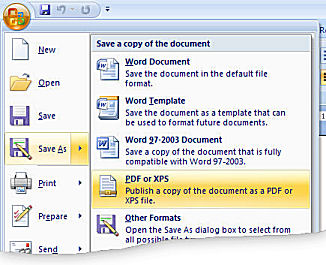
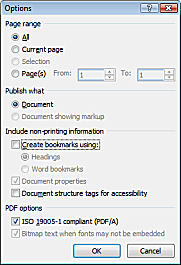
A simple way to create compliant PDF from Word 2007
or 2010 is to use the Microsoft Office Save as PDF feature.
This is available for Office 2007 as a free Add In and is built into
Office 2010. To install the Add In for Office 2007 follow these steps.
 |
|
| How do I create compliant PDFs from Word (2007 and earlier)? |
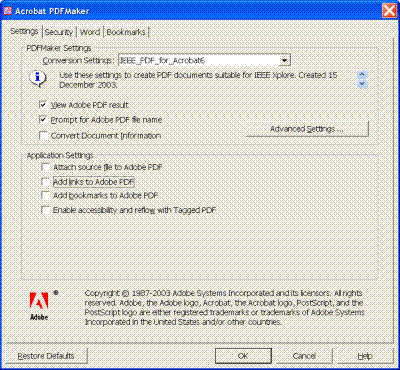
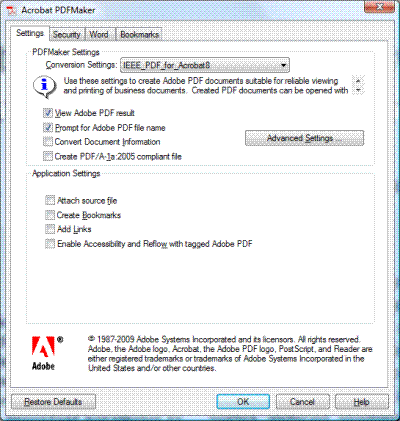
There are various possibilities to create compliant PDFs from Word.
Using the Microsoft Office Save as PDF Add-in (Word 2007 and later)
|
|
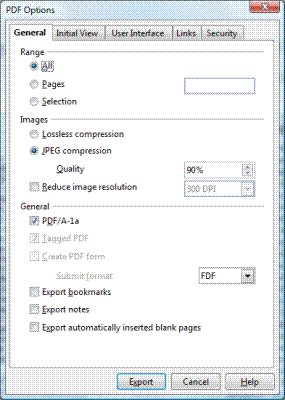
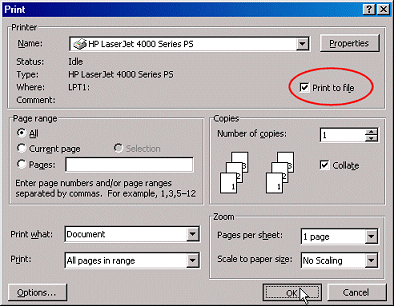
| How do I create compliant PDF from other Word Processors? |
|
|
| Your test keeps saying there are SimSun/PMingLiu fonts in my paper. What should I do? |
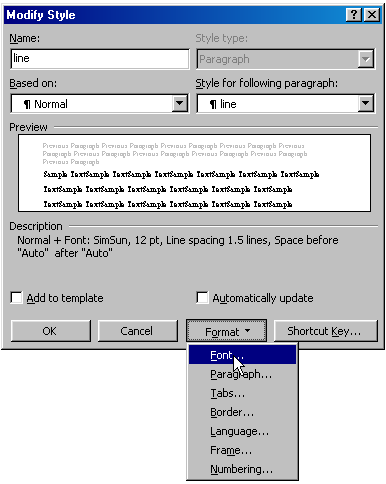
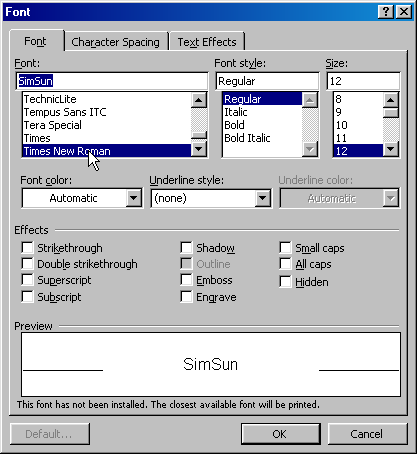
Distributions of Windows and Microsoft Office in the orient come with Asian language packages and include fonts such as SimSun.
People who do not have these fonts on their system are not able to read the resulting document and hence papers with such fonts
are not accepted by the system.
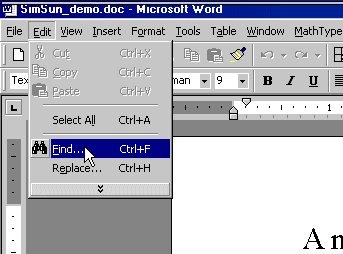
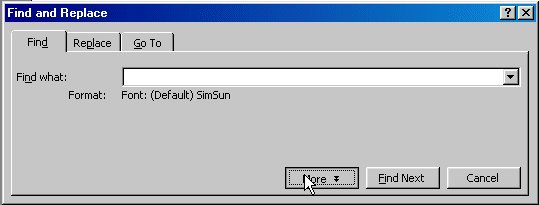
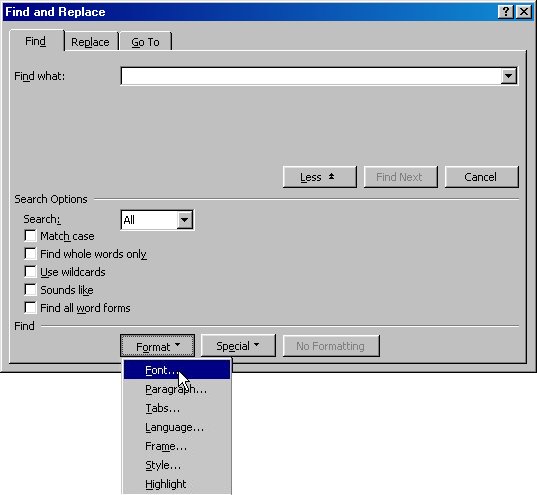
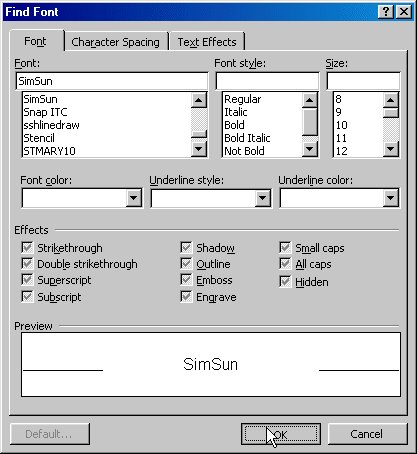
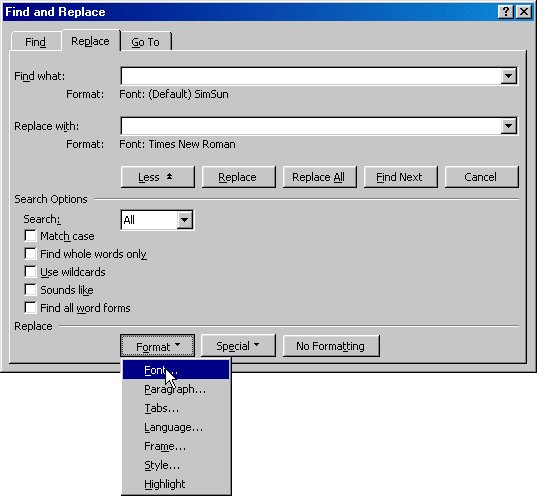
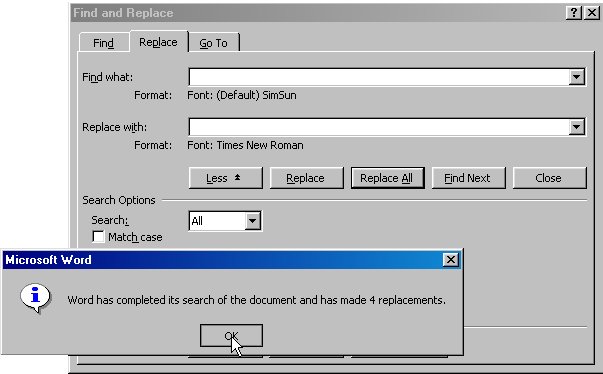
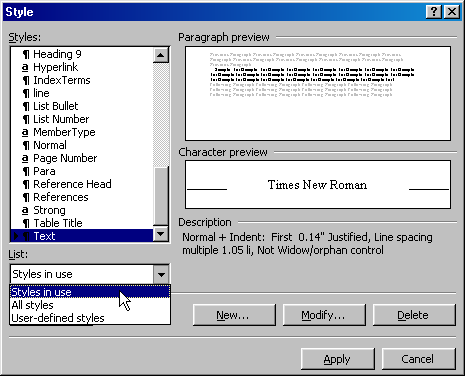
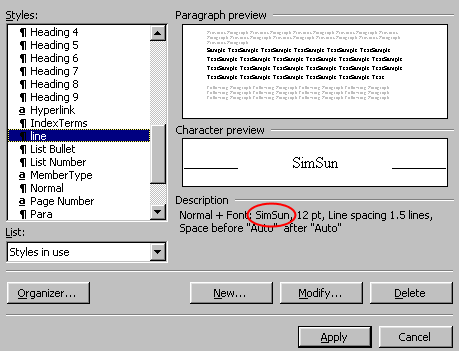
Important: Download the MS Word template to prepare your manuscript. This will eliminate most of the problems. However, depending on how your MS Office is configured, your system may substitute certain fonts from those provided in the template to (possibly) SimSun. There are two ways to override your system's setting. |
|
| According to the pdf test my pdf file has annotations but I do not find any annotations. What to do? |
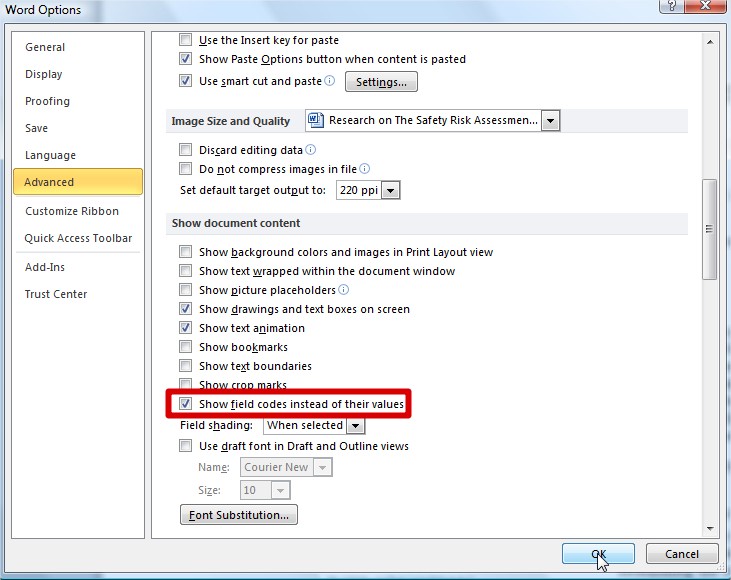
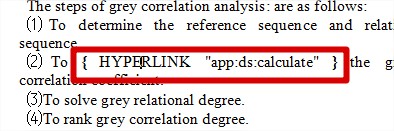
Pdf considers various manuscript elements as annotations, including text annotations, form fields and hyperlinks.
When the pdf test reports annotations this often concerns hyperlinks that occur in the source Word document.
When using Adobe Acrobat to convert a Word file to compliant pdf hyperlinks are automatically removed but when the
Save as PDF Add-in of Office 2007 and later is used it is necessary to remove these links manually from the
Word document. |
|